

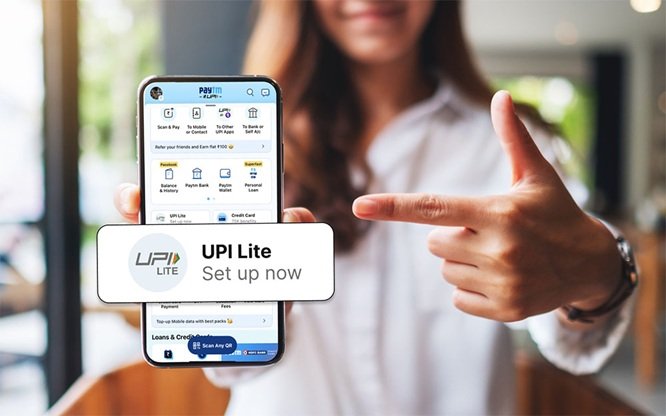

Digital payments continue to evolve, making everyday transactions faster and more convenient. Among the most widely adopted solutions is UPI, which allows users to transfer money instantly, pay bills, and scan QR codes with ease. For smaller and frequent transactions, a UPI Lite payment app offers added simplicity by enabling quick payments without repeated authentication steps. If you are planning to set up and use a new UPI payment app, understanding the process can help you get started smoothly and without confusion.
1. Understand What UPI Lite Offers
Before registering, it is helpful to know how a UPI Lite payment app works. Unlike regular UPI transactions that directly debit your bank account each time, UPI Lite operates with a preloaded balance. This makes small payments faster and reduces dependency on constant bank authentication.
A new UPI payment app with Lite functionality is ideal for everyday expenses such as local shopping, small vendor payments, or quick transfers to contacts. It combines speed with security, offering a streamlined digital experience.
2. Download and Install the App
The first step is to download a trusted new UPI payment app from the official app store. Ensure that the app is authentic and supported by your bank. Once installed, open the app and grant the necessary permissions, such as SMS access and camera access. These permissions are required for bank verification and QR scanning through UPI.
Using the correct mobile number linked to your bank account is essential for successful registration. This ensures smooth authentication during setup.
3. Complete Bank Account Verification
After installation, the app will prompt you to verify your mobile number and link your bank account. The system automatically fetches account details associated with your number. Once linked, you can set or confirm your PIN to activate UPI services.
If you are setting up a UPI Lite payment app, you will also need to enable the Lite feature within the app. This usually involves accepting terms and loading a small balance into your Lite wallet from your bank account.
4. Add Funds to UPI Lite
To start using a UPI Lite payment app, you must preload funds into the Lite balance. This step ensures that small transactions can be processed instantly without repeated PIN entry. The amount is transferred securely from your linked bank account via UPI.
Once the Lite balance is added, you can view it within the app dashboard. Keeping track of this balance helps you manage frequent transactions conveniently.
5. Start Making Payments
After completing registration and funding your Lite wallet, you can begin using the app for daily payments. A reliable new UPI payment app allows you to:
- Scan any QR code for instant payments
- Pay directly to contacts
- Check account balance
- View payment history
- Pay utility bills and more
With a UPI Lite payment app, smaller transactions are processed quickly, making it ideal for regular purchases at local shops or service providers.
6. Monitor Transactions and Balance
Staying up to date on your transactions helps ensure better financial management. Most UPI platforms provide detailed payment history so you can review completed transfers. You can also check your Lite wallet balance at any time within the app.
Regularly monitoring your activity helps avoid confusion and ensures that every payment is accounted for. A well-designed new UPI payment app makes navigation simple and allows easy access to transaction records.
7. Keep the App Updated and Secure
To avoid technical issues, always keep your UPI app updated to the latest version. Updates often include security enhancements and improved performance. Protect your PIN and avoid sharing sensitive details with anyone.
If you face minor issues while using a UPI Lite payment app, refreshing the app or checking your internet connection usually resolves them quickly.
Conclusion
Setting up and using a UPI Lite payment app is a simple process when done correctly. From downloading a trusted new UPI payment app to linking your bank account and adding funds, each step ensures smooth and secure digital transactions. The speed and convenience of UPI make it an essential tool for managing everyday payments.
The Bajaj Finserv UPI and Bajaj Finserv Lite solutions allow users to scan any QR code, pay contacts, check their balance, view payment history, pay bills, and more with ease. With the right setup and secure usage practices, digital payments can be completely hassle-free and efficient for daily needs.